Ask an AI to "write my App Store listing" and you get copy that sounds right. The title is 34 characters when the limit is 30. The keyword field repeats words already in the title. And the advice comes from ASO folklore: "Play titles are 50 characters", "Apple reads your screenshot captions", "65% of downloads come from search". None of these hold up today.
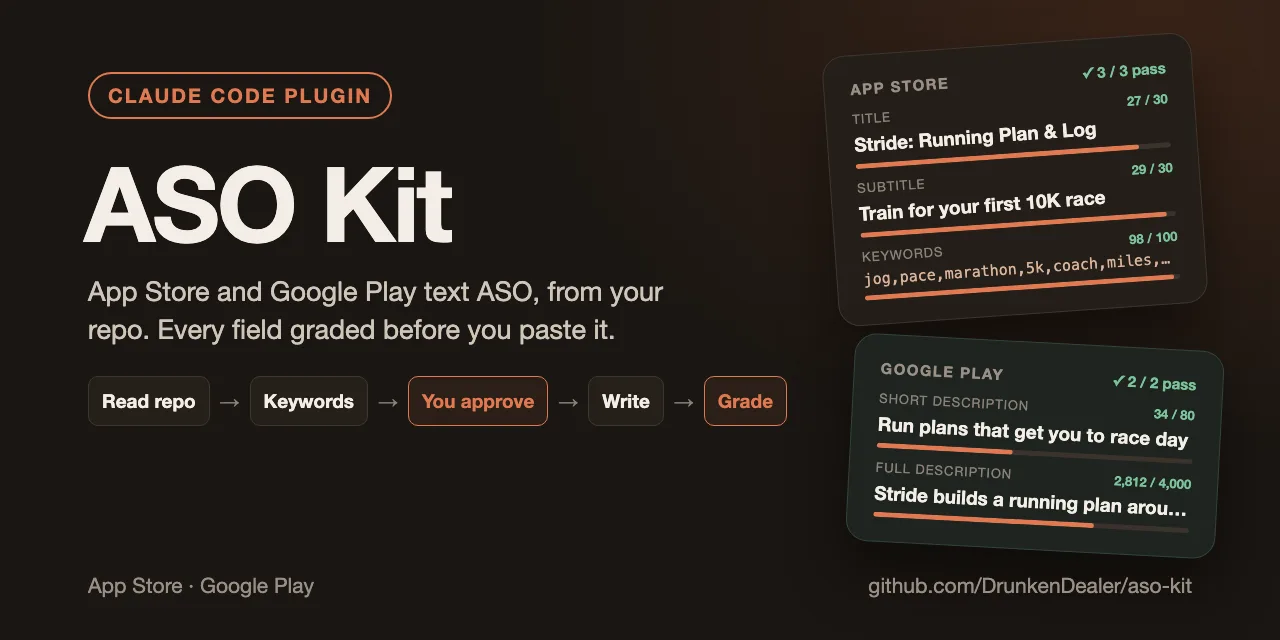
ASO Kit is a free, open-source Claude Code plugin I built for the text side of App Store Optimization:
- It starts from your repo. What the app does, who it's for and its main feature come from the code, not from a form you fill in.
- Keywords come from the live stores. Autocomplete and search results from both the App Store and Google Play, per market.
- Every field is graded before you see it. Limits, wasted keyword space, banned words and store policy are checked by a script, then a second agent reads the copy.
How it runs
Open your app's repo and ask "where do I start with ASO?" or run /aso-kit:aso. It goes through four steps and asks you before each one:
- Context. Reads the repo and the live listing, if there is one: app, audience, main feature, markets, rating and a few real peer competitors.
- Keywords. Seeds from the app, live autocomplete from both stores and what competitors rank for, scored and packed into the 100-character iOS keyword field.
- Metadata. Title, subtitle, keyword field, promotional text, Play short and full description. It rewrites them until they pass the checks.
- Audit. A text-only review of a live listing or a draft, with fixes ordered by when they can ship and how to measure them.
Everything lands in one aso/ folder in your repo. Nothing touches fastlane/metadata/ unless you say yes.
The checks
The grader is a plain Node script, not the model's opinion. On a bad draft it reads like this:
✗ en-US ios.name: 50/30 chars
✗ en-US ios.keywords: "habit" already in name, subtitle or developer name
✗ en-US ios.keywords: wasted on "free"
! en-US ios.keywords: "streak" and "streaks" are one word to Apple
! en-US play.shortDescription: 33/80 chars — indexed space left unused
✗ en-US play.title: banned "free"
After the script passes, a second agent reads the copy against a rubric: is the keyword plan actually used, is every claim true of the app, does it sound native and stay within store policy. Each verdict comes with a quote from the copy.
Sourced, dated facts
Every store fact the plugin relies on lives in a small knowledge base, with a source and a date. Official docs come first, practitioner opinion is labelled as such, and contested claims are marked Disputed. A list of common myths tells the model what not to repeat.
A lint script fails when a fact has no source or is older than 180 days. /aso-kit:aso-refresh re-checks the knowledge base against the stores' docs, so the advice doesn't rot when Apple or Google change something.
More markets and releases
/aso-kit:aso-localize <locale>adds one market at a time, after the primary listing is live and measured. It researches native keywords instead of translating English ones, then back-translates the key lines to check they still promise what the English does./aso-kit:aso-releasewrites What's New and Play release notes from the commits since the last release.
Screenshots are out of scope on purpose. aso-metadata can write a short brief with the main feature, the screens to show and a headline per slide. Vitrine Deck builds the screenshots from it.
Try it
In Claude Code:
/plugin marketplace add DrunkenDealer/claude-plugins
/plugin install aso-kit@mashlab
The checker and store reads are a small CLI with no dependencies. The plugin offers to install it the first time it needs it, or you can do it yourself:
npm install -g github:DrunkenDealer/aso-kit
mashlab is the Mash Lab plugin catalog on GitHub. You need Node.js 18+. There are no API keys or paid ASO tools: it only calls the stores' public endpoints with the search terms and app ids you research.
The short version
Your repo for the facts about the app, the live stores for keywords, a script for the limits and a second agent for the copy. You get a listing you can paste and an aso/ folder that shows why each word is there.
The plugin is free and MIT-licensed: ASO Kit on GitHub, also listed on Agensi. The same catalog has QA Cycle, which tests your whole app with a team of agents.
FAQ
What is ASO Kit for Claude Code?
A free, open-source Claude Code plugin for the text side of App Store Optimization. It reads your app's repo and the live stores, researches keywords per market, writes the title, subtitle, keyword field and descriptions for the App Store and Google Play, and grades every field against store limits and policy before you paste it.
Where does ASO Kit get its keywords?
From the app's own code and from the live stores: App Store and Google Play autocomplete, search results and what peer competitors rank for, per market. No paid ASO tool or API key is needed.
Does ASO Kit make App Store screenshots?
No. It can write a screenshot brief with the main feature, the screens to show and a headline per slide. Vitrine Deck, from the same mashlab catalog, builds the screenshots from that brief.
How does ASO Kit keep its store facts up to date?
Every fact in its knowledge base has a source and a date. A lint script fails when a fact has no source or is older than 180 days, and /aso-kit:aso-refresh re-checks the facts against the stores' documentation.
Can ASO Kit localize my listing?
Yes, one market at a time with /aso-kit:aso-localize, after the primary listing is live and measured. It researches native keywords instead of translating English ones and back-translates the key lines to check their meaning.